Google Workspace 2026 Icons — The Complete New Redesign
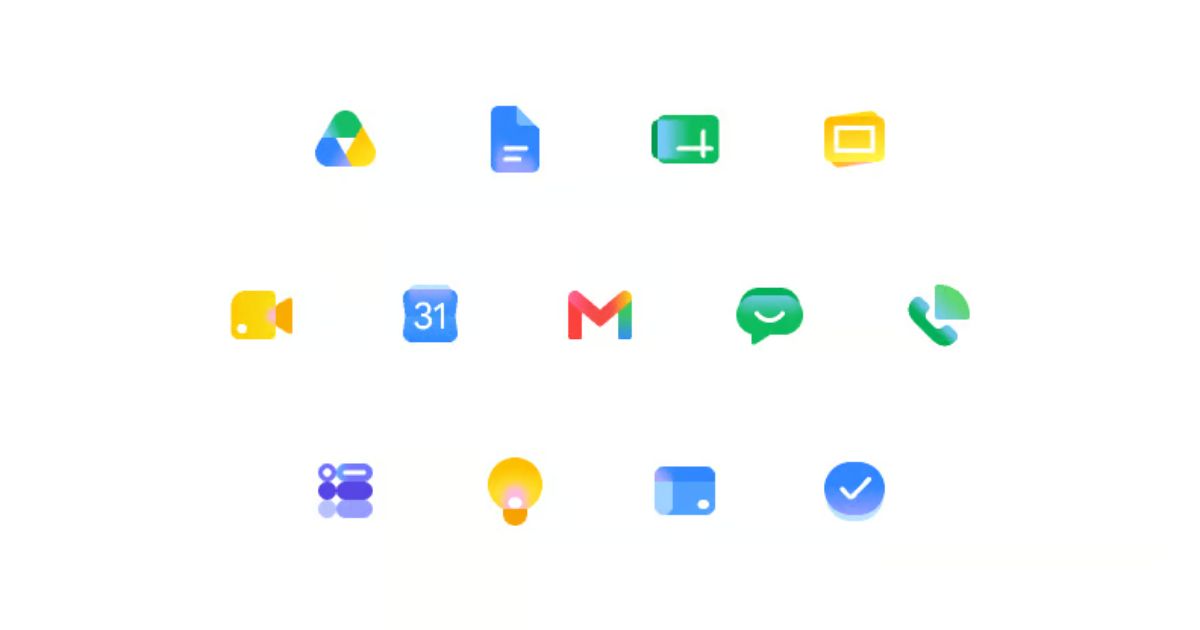
Why Google Redesigned Workspace Icons for 2026
If you've been searching for Google's new 2026 Workspace icon redesigns, you've likely noticed how dramatically Google's visual identity has evolved. For years, Google relied on flat, four-color vector paths. In 2026, Google introduced a sweeping visual overhaul across its product ecosystem: moving into multi-stop continuous gradients, soft glassmorphism, rounded geometry, and ambient Gaussian lighting.
Key Aesthetic Highlights of the 2026 System
Whether you're a designer or developer building UIs, here is what makes the 2026 Google Workspace icon language stand out:
- Continuous Spectrum Gradients: Seamless transitions from coral pink to red, amber, emerald green, cyan, and deep electric blue.
- Translucent Layering & Masks: Complex SVG masks and gradient fills that create realistic material depth and glasslike transparency.
- Hyper-Smooth Corner Curves: Squircle-inspired corner radii applied across application frames and internal motifs.
- Soft Gaussian Lighting: Embedded
feGaussianBlurfilters producing subtle ambient shadows.
The 2026 Google Icon Collection
Below is the complete set of 15 new 2026 Google Workspace icons. Click Copy SVG on any card to grab the SVG markup directly to your clipboard for your projects:
Gmail
Google Calendar
Google Chat
Google Docs
Google Drive
Google Forms
Google Keep
Google Meet
Google Sheets
Google Sites
Google Slides
Google Tasks
Google Vids
Google Voice
Google Workspace
How to Use These SVGs in Web Applications
Because these 2026 icons utilize linear gradients, radial fills, and SVG masks, embedding them directly inline into HTML or React components ensures crisp resolution on all devices without external file requests.
Inline SVG Integration
<!-- Example: Gmail 2026 Inline SVG -->
<svg xmlns="http://www.w3.org/2000/svg" width="48" height="48" fill="none" viewBox="0 0 192 192">
  <path fill="url(#gmail_a)" d="M146 44h38v110c0 6.627-5.373 12-12 12h-20a6 6 0 0 1-6-6z"/>
  <path fill="#fc413d" d="M46 44H8v110c0 6.627 5.373 12 12 12h20a6 6 0 0 0 6-6z"/>
  <path fill="url(#gmail_b)" d="M39.226 30.456c-8.033-6.752-20.018-5.714-26.77 2.319-6.752 8.032-5.714 20.017 2.319 26.77l76.078 63.949a8 8 0 0 0 10.295 0l76.078-63.95c8.032-6.752 9.07-18.737 2.318-26.77-6.752-8.032-18.737-9.07-26.769-2.318L96 78.18z"/>
  <defs>
    <linearGradient id="gmail_a" x1="165" x2="165" y1="44" y2="166" gradientUnits="userSpaceOnUse">
      <stop stop-color="#60d673"/>
      <stop offset=".17" stop-color="#42c868"/>
      <stop offset=".39" stop-color="#0ebc5f"/>
      <stop offset=".62" stop-color="#00a9bb"/>
      <stop offset=".86" stop-color="#3c90ff"/>
      <stop offset="1" stop-color="#3186ff"/>
    </linearGradient>
    <linearGradient id="gmail_b" x1="8" x2="184" y1="46.13" y2="46.13" gradientUnits="userSpaceOnUse">
      <stop offset=".08" stop-color="#ff63a0"/>
      <stop offset=".3" stop-color="#fc413d"/>
      <stop offset=".5" stop-color="#fc413d"/>
      <stop offset=".65" stop-color="#fc413d"/>
      <stop offset=".72" stop-color="#fc5c30"/>
      <stop offset=".86" stop-color="#feb10c"/>
      <stop offset=".91" stop-color="#fec700"/>
      <stop offset=".96" stop-color="#ffdb0f"/>
    </linearGradient>
  </defs>
</svg>
Summary
Google's 2026 visual language marks an exciting milestone for design systems and icon engineering. By blending geometric precision with rich lighting and borderless cards, the new collection offers inspiration for modern UI design.
Built with care by Dev Chauhan. Follow on GitHub or Twitter / X.