Building Reicon — 3,900+ UI SVG Icons, 4,900+ Logos & 71k+ Illustrations
The Idea
It started with a simple frustration. Every time I started a new project, I'd search for icons and visual assets — browsing through dozens of libraries, comparing styles, checking licenses, and eventually settling for something that was either too heavy, inconsistent, or missing the exact assets I needed.
I wanted a single open platform that was:
- Comprehensive — icons, brand logos, and illustrations under one roof
- Lightweight & Consistent — import only what you use, drawn with clean geometry
- Open-source — no restrictive licenses, no hidden paywalls
- Developer & AI Ready — framework adapters and native MCP support for AI agents
That's why I built Reicon.
What is Reicon?
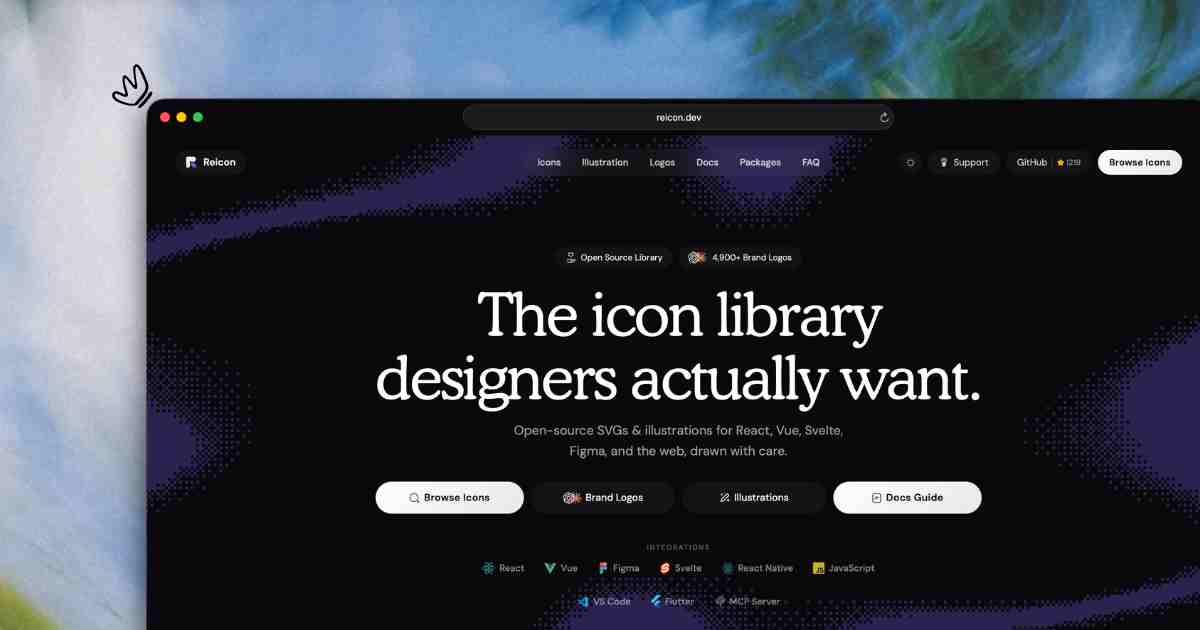
Reicon is a massive open-source visual asset library that ships over 3,900+ UI SVG icons, 4,900+ brand logos, and 71,000+ vector illustrations. Every asset is:
- Drawn on precision grids with consistent Outline (1.5px stroke), Filled (solid paths), and Duotone variations
- Optimized for instant copy-paste SVG, React components, and tree-shaken bundlers
- Distributed via npm, available as a CDN runtime, and accessible through a searchable web interface at reicon.dev
The library covers every category developers and designers need: UI controls, navigation, media, files, communication, technology brand logos, and an extensive collection of illustrations for landing pages and apps.
Packages & Ecosystem
Reicon provides dedicated packages for every major framework and platform:
- reicon — Core vanilla JavaScript package
- reicon-react — React components with full TypeScript support
- reicon-react-native — React Native optimized icons
- reicon-vue — Vue 3 components
- reicon-svelte — Svelte components
- reicon_flutter — Flutter/Dart package
- reicon-figma — Figma plugin for design workflows
- reicon-vscode — VS Code extension for inline icon previews
- reicon-mcp — MCP Server for AI agents
There's also a CDN runtime with a Web Component (<re-icon>) for
drop-in use in any HTML page, and raw SVG downloads via ZIP.
Design Philosophy
Every icon in Reicon is designed with a few guiding principles:
- Consistency above all. A 24×24 viewBox, 2px stroke, round caps and joins — these parameters never vary. It means you can mix any icons from the library and they'll look like they belong together.
- Minimalism without sacrificing meaning. Each icon is stripped to its essential form. If a detail doesn't add to recognition, it's removed.
-
Accessibility built-in. Icons include proper
aria-labelattributes and semantic metadata. They're designed to work with screen readers and assistive technologies out of the box.
Building the Library
Tooling
The library is built with a custom Node.js pipeline that:
- Reads raw SVG source files from a structured directory
- Validates each icon against the style guide (viewBox, stroke, color)
- Optimizes paths using SVG path data compression
- Generates ESM and CJS bundles
- Produces TypeScript definitions automatically
The Search Experience
reicon.dev is built as a search-first interface. You can browse by category, search by keyword, or filter by style. Every icon page includes:
- Live preview at multiple sizes
- SVG code snippet with one-click copy
- React component import code
- Download as SVG file
The search indexes icon names, aliases, tags, and categories — so finding the right icon is fast.
AI & MCP Support
Reicon ships with a dedicated MCP Server (reicon-mcp) that connects AI agents
to the icon library via the Model Context Protocol. Agents can search icons, preview SVG markup, and
generate framework-specific code snippets programmatically.
For LLM-friendly workflows, Reicon also provides:
- llms.txt — Quick reference with install commands, usage snippets, and props tables
- llms-full.txt — Deep reference with full framework docs, types, and architecture
- llms-icons.txt — Complete icon directory with name mappings
These files are publicly available at reicon.dev/llms.txt and are designed so that AI
agents (Claude, Cursor, Copilot, etc.) immediately know how to install, import, and render icons.
Quick Start
Using Reicon in your project is straightforward. Here's how to get started with each framework:
React
npm install reicon-reactimport { Heart } from 'reicon-react';
function App() {
return <Heart size={24} weight="Outline" color="#000000" />;
}Vue 3
npm install reicon-vue<script setup>
import { Heart } from 'reicon-vue';
</script>
<template>
<Heart :size="24" weight="Filled" color="#000000" />
</template>Svelte
npm install reicon-svelte<script>
import { Heart } from 'reicon-svelte';
</script>
<Heart size={24} weight="Outline" color="#000000" />Flutter
flutter pub add reicon_flutterimport 'package:reicon_flutter/reicon_flutter.dart';
import 'package:flutter_svg/flutter_svg.dart';
SvgPicture.string(
reiconSvg(Reicon.outline.heart, size: 24),
)CDN Usage & Direct Embeds
Reicon provides high-availability CDN endpoints for zero-install, instant usage across HTML pages, emails, and web applications without requiring build steps.
1. Free SVG Icons CDN (3,900+ UI SVG Icons)
<script src="https://unpkg.com/reicon/cdn/reicon.js"></script>

<re-icon icon="heart" weight="outline" size="24"></re-icon>
2. Brand & Tech Logos CDN (4,900+ Logos)
Access scalable vector logos (original mark, wordmark, or monochrome) for tech stacks and platforms:
<!-- Direct Brand Logo SVGs (Original Mark & Wordmark) -->
<img src="https://cdn.reicon.dev/logos/github/original.svg" alt="GitHub" width="24" height="24" />

<img src="https://cdn.reicon.dev/logos/github/text.svg" alt="GitHub Text" width="24" height="24" />
3. Vector Illustrations CDN (71,000+ Assets)
Embed high-quality vector illustrations for hero sections, empty states, and feature cards directly via CDN:
<!-- Direct Vector Illustration CDN -->
<img
  src="https://cdn.reicon.dev/asteroid.svg"
  alt="An asteroid"
  width={180}
  height={180}
/>
MCP Server
Connect AI agents to Reicon via the Model Context Protocol:
{
  "mcpServers": {
    "reicon": {
      "command": "npx",
      "args": ["reicon-mcp"]
    }
  }
}
Project Structure
Reicon is organized as a monorepo holding the core dataset, package compilations, build scripts, and the
showcase documentation site. The single source of truth is data/icon-data.json, which feeds
the compiler pipeline that generates all framework packages simultaneously.
Development & Building
To run the documentation site locally:
npm install
npm run dev
To add or modify icons:
- Edit icons inside
data/icon-data.json - Run
npm run build:packagesto update all framework packages and CDN runtimes - Run
npm run build:fullto rebuild the website with updated SEO meta tags
Open Source
Reicon is fully open-source under the MIT license. The entire codebase — icons, website, tooling — is available on GitHub. I welcome contributions of all kinds: new icons, design feedback, documentation improvements, and bug reports.
Contributing
Contributions to the codebase, packages, or documentation are welcome. Please refer to the Contributing Guidelines on GitHub for conventions on pull requests, testing, and formatting.
Credits
Reicon base icons are built using elements from:
- Solar Icons designed by 480 Design (CC BY 4.0), package maintained by Saoudi H. (MIT License)
- Zappicon — licensed under the Zappicon License
License
MIT License — Copyright © 2026 Dev Chauhan.
What's Next
I'm actively working on:
- Icon variations — expanded filled, outlined, and duotone versions
- Animation support — subtle micro-interactions for web use
- Icon request system — vote on and suggest new icons
- More framework adapters — expanding the ecosystem
Try It
You can start using Reicon today:
npm install reiconOr explore the full collection at reicon.dev and browse 3,900+ UI SVG icons, preview them live, copy SVG code, or download them as React components — all for free.
Built with care by Dev Chauhan. Follow development on GitHub or Twitter / X.